My productivity system this year

Every year I tend to change my applications and write a blog post about it, and I often change apps multiple times each year, but I am hoping and I believe that this time is different. I said that last year too, but this time I have made a huge change and I have moved some stuff into analog tools. I have not had analog tools be a main part of my system for as long as I have written articles. I will not dive too deep into my analog system, but please do let me know if you want an article just on that. I made a YouTube video about my productivity system and I am using the same apps, but I have added more apps to the system. I have also decided to divide my business stuff for my side hustle/business and my personal stuff, but some of the apps I use for multiple parts of my life. These are just the apps I use personally. I also use some work apps which I will not go too much into because I am forced to use them and I am not the biggest fan.
Personal apps
There are two apps in this category and one app I am uncertain about. These are apps that I use for myself and I would use even if I did not run my own side business.
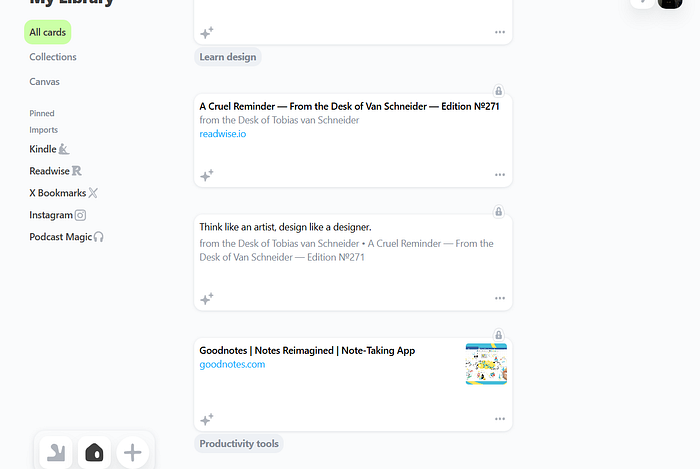
Sublime: Sublime is an application I got gifted the lifetime plan for earlier this year because I covered it last year. I have always said that I probably would not use Sublime as my main note-taking app, but this year it actually started growing on me for two reasons. The first one is that the app improved and the canvas feature they added allows for not only taking and capturing notes but also processing them. The second reason is that I stopped thinking about it as a note-taking app and I started thinking about it as more of an inspiration hub. Inside of Sublime I have everything that inspires me, and I go through it when I am looking for inspiration and I need a quick pick-me-up. This is not an application I spend a lot of time in. I spend a lot of time capturing, but I organize really quickly and I use the powerful search. The way Sublime works is more like a bookmarking tool for people who are not that into software. It is simple and it has a lot of great integrations with things like your Instagram saves, Readwise, Kindle, and X bookmarks. I have mainly used the Readwise integration. Sublime also has a feature that allows you to see what other people have highlighted and a great related notes engine.
Even though I love the application, there is one thing I wanted to mention. I would probably pay for a subscription for Sublime if I had to, but it would be more of a luxury because if you are building a productivity system you need things like a task manager and maybe even another note-taking app, and that would start to get expensive. I would be lucky enough to afford it, but not everyone can afford several different applications. I just wanted to mention that. However, for some people something like Sublime would be enough. For me, I would need more applications and that would make Sublime a luxury.
Voicenotes AI: This is an application I purchased the lifetime plan for when it first came out. It is an application that transcribes your voice; you can also use it to record meetings, then you can chat with your notes. This is great when I am working on an idea for something. It can be anything from a renovating project, an idea for a book I want to write, an idea for work, or just a long note I want to get down quickly. This is not an application I use a lot, but it is an application that I think is really underrated. A lot of apps allow you to take voice notes right now, and for most people I would recommend just using it within your app if you have it within your note-taking app. I did not back when I purchased Voicenotes AI, and since I am not paying a subscription it makes sense to use it because the UI/UX is really good. I can talk out my ideas and get AI to make them structured, to turn them into a blog post or LinkedIn post. It even supports images and threads of notes just like a Twitter thread. Voicenotes also has a podcasting feature which I have not used enough to have an opinion on. Let me just be clear: I am only using this app because I purchased the lifetime plan. Even though it is a good app and you can use this as your only note-taking app, I am not because it is best for voice and I write a lot of my notes still. I prefer writing, therefore this cannot be my only note-taking app.

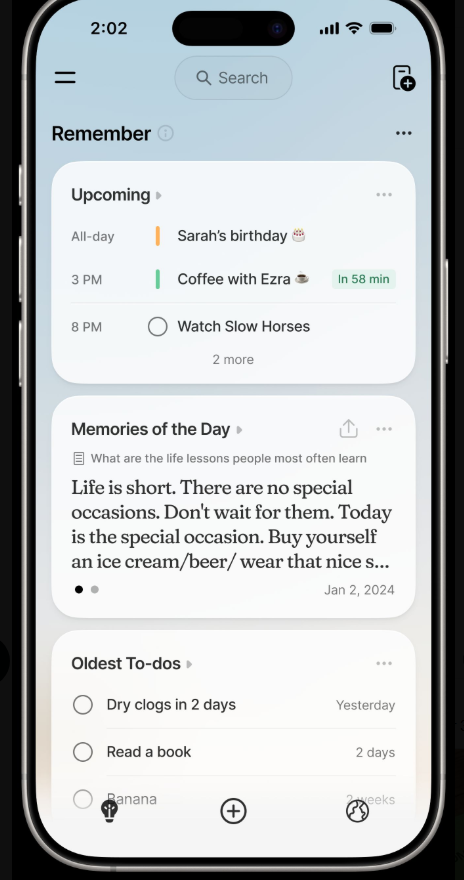
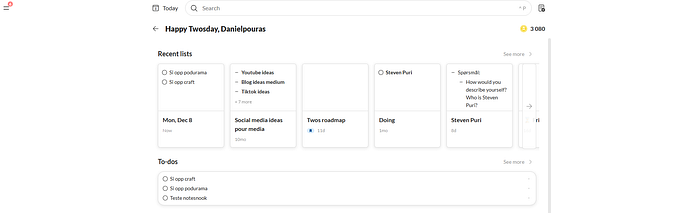
Twos: It is hard to categorize Twos, but I use it as a quick capture application. Since a lot of my apps do not have mobile apps, I often put things into Twos first. I also use it a little for journaling. I write down important things and I then put those things into my notebook and write about how they made me feel. I would say that Twos is probably one of the best quick capturing applications out there. They are currently rebuilding it and I am on the old version since I have an Android and they started with building out the iOS app. But if you want a simple all-in-one application, Twos can actually be that too. But for my use case it is mainly a quick capture app.
Business apps
There are not many applications on this list, but I needed a project management tool. Even though I write a lot of my project notes and tasks as well as social media ideas in my notebooks, I felt the need to have it in digital form too, especially when I need help and collaboration.
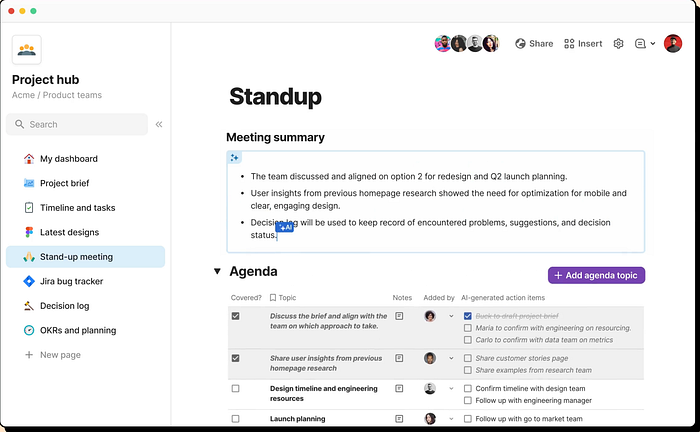
Coda: After testing out a bunch like Linear, Notion, Taskade, and Monday, I landed on Coda. I am using the free plan of Coda and it is a really extensive free plan, which was really important to me. I also needed flexibility and really powerful databases. I am a really big fan of databases for project management and Coda might have the best databases within an app. I considered using Airtable, but I landed on Coda because I could easily use it as a wiki tool too. I am hoping to scale my business in 2026 and 2027, so I am hoping to start to build a wiki for it. I also just like having a wiki so I can easily find my plans, thoughts, strategies, and meeting notes. Coda just felt perfect because it was powerful, I am familiar with it, and I did not actually have to build a lot for the things I needed. I could just use the pre-built templates, so I saved a lot of time there. Coda probably is too complex for most people; an option like Trello is most likely better. I just do not like the quick capture abilities in Trello, but I think it is a really good app.
Personal and business apps
There are a few apps that go into both personal and professional. Most apps actually do that since it is really hard to differentiate between personal and professional, at least for me.
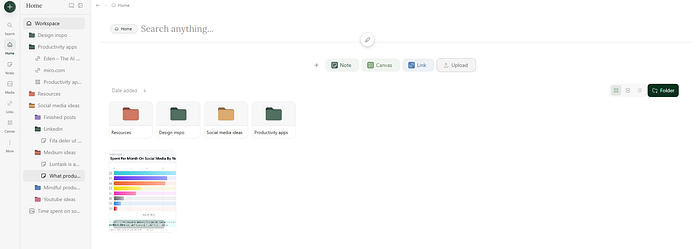
Eden.so: This has been my favorite app and obsession lately. I write all of my posts in here. This app is in early access and I just wrote a post about it which you can read here. Eden is a knowledge app and cloud solution like Dropbox, Google Drive, or iCloud Drive. It heavily integrates AI, it has a notes feature, a whiteboard, and amazing search. I use this a lot for my content to find B-roll and design assets. It also allows you to save links and with some links it does something extra, like with YouTube links, it downloads the video and allows you to chat with it. It also allows you to search for something and the app will find the exact frame that thing appears, which is just such an amazing feature. This is an app that is still in early access and it is currently not available, but I got in during the Black Friday early access and it has been my obsession ever since.
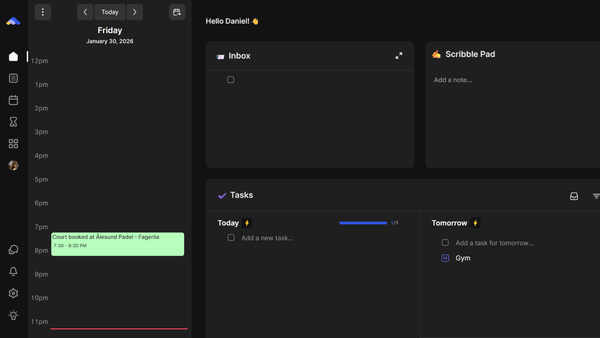
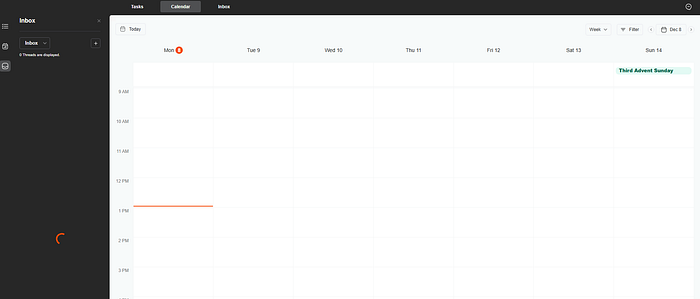
Flow: I mainly use notebooks for things like daily planning, but I do have a daily planner which is also in early access. It is called Flow. It is a daily planner with email and task management. This is also an AI application. One of the main reasons why I like it is the AI email stuff. It auto-tags my emails and based on the email it suggests tasks in a daily briefing which I get three times, and I have chosen to get it at 9, 2, and 6. I can decide if I want to accept the tasks and I can also train the AI if it makes a mistake. If someone is really important, for example, I will train them as VIP so the AI always puts that into my inbox because most of these emails do not hit my inbox, they just get archived. I think that is great because most of my emails are not important. I am going to be honest: it took me a while to trust the AI enough to be okay with it, but now I have no problems with it. It still makes mistakes, but since I have the briefing I can always fix those mistakes. That is one of the main reasons I use this app, but a lot of apps can do this. A good example is something like Superhuman. But Flow is also a daily planner with tasks and a calendar and the ability to do calendar blocking. I can even drag emails right into my calendar, which is something I did not know that I needed or liked. Flow is still working on a lot of cool and fun features. I am planning to do a full review on this app once it is out, but I have been using it for 7 or 8 months and I am going to continue to use it next year too.
Claude: I currently use Claude for all of my AI stuff, but I am planning to change to another subscription, so if you have any apps that include all the different models under one subscription and are available on web and Android, let me know.
That is all of my productivity apps this year, and some of these apps are considered expensive apps, but I am lucky enough to be able to purchase them and I think they are worth the price. I am hoping that these apps will stick with me throughout all of the year, and as usual I am hopeful, but if my shiny new tool syndrome comes back, at least I can make more content! I also want a read-it-later app — just something simple. I just want to save and read articles, so I am open to suggestions. Currently I am playing around with Instapaper, but I have mixed feelings about it, but hopefully I will find one that will fit into my productivity system. Apart from that, I think I am happy with my productivity system.