Bydesign is really good
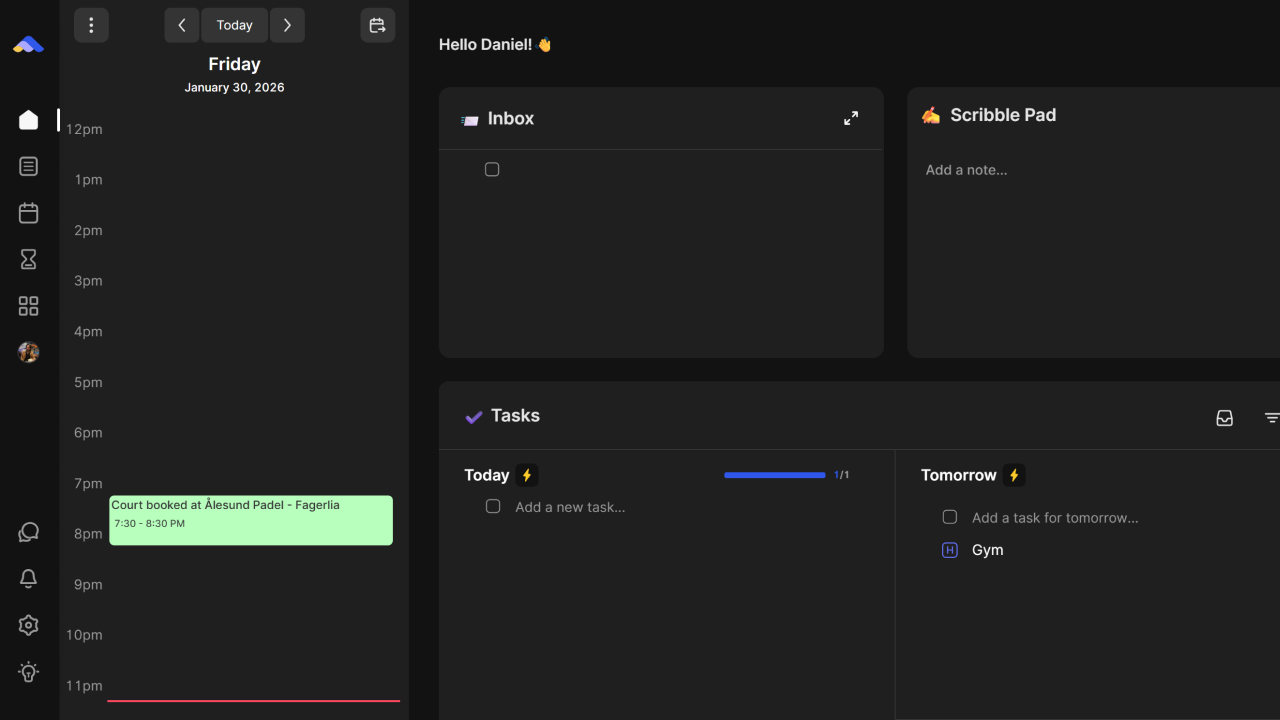
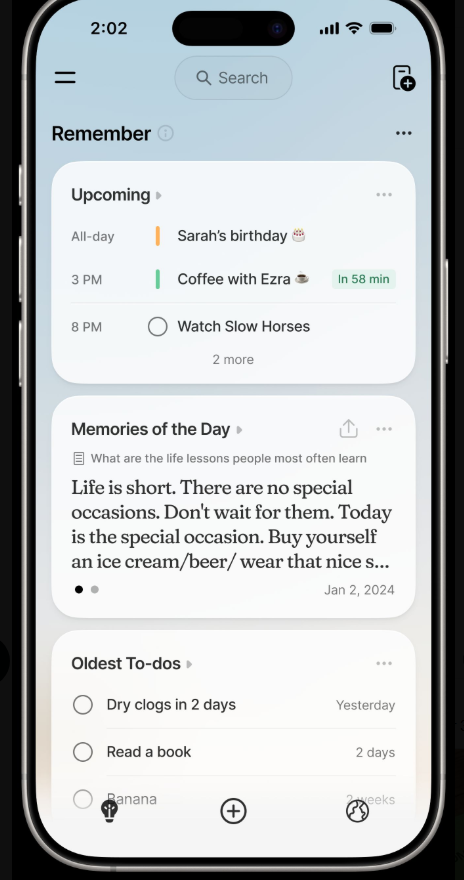
You may remember the application called ByDesign. It’s one of the few apps for which I actually purchased a lifetime plan—around $250, if I recall correctly. ByDesign aims to blend the functionality of a note-taking app with that of a daily planner, something that’s notoriously difficult to pull off. Many apps have tried, but few have succeeded. That is, until I found ByDesign. I think it’s one of the rare applications that successfully merges a calendar with a note-taking experience. It’s still in its early stages, it was early when I first reviewed it, and it still feels relatively new.
How Does It Work?
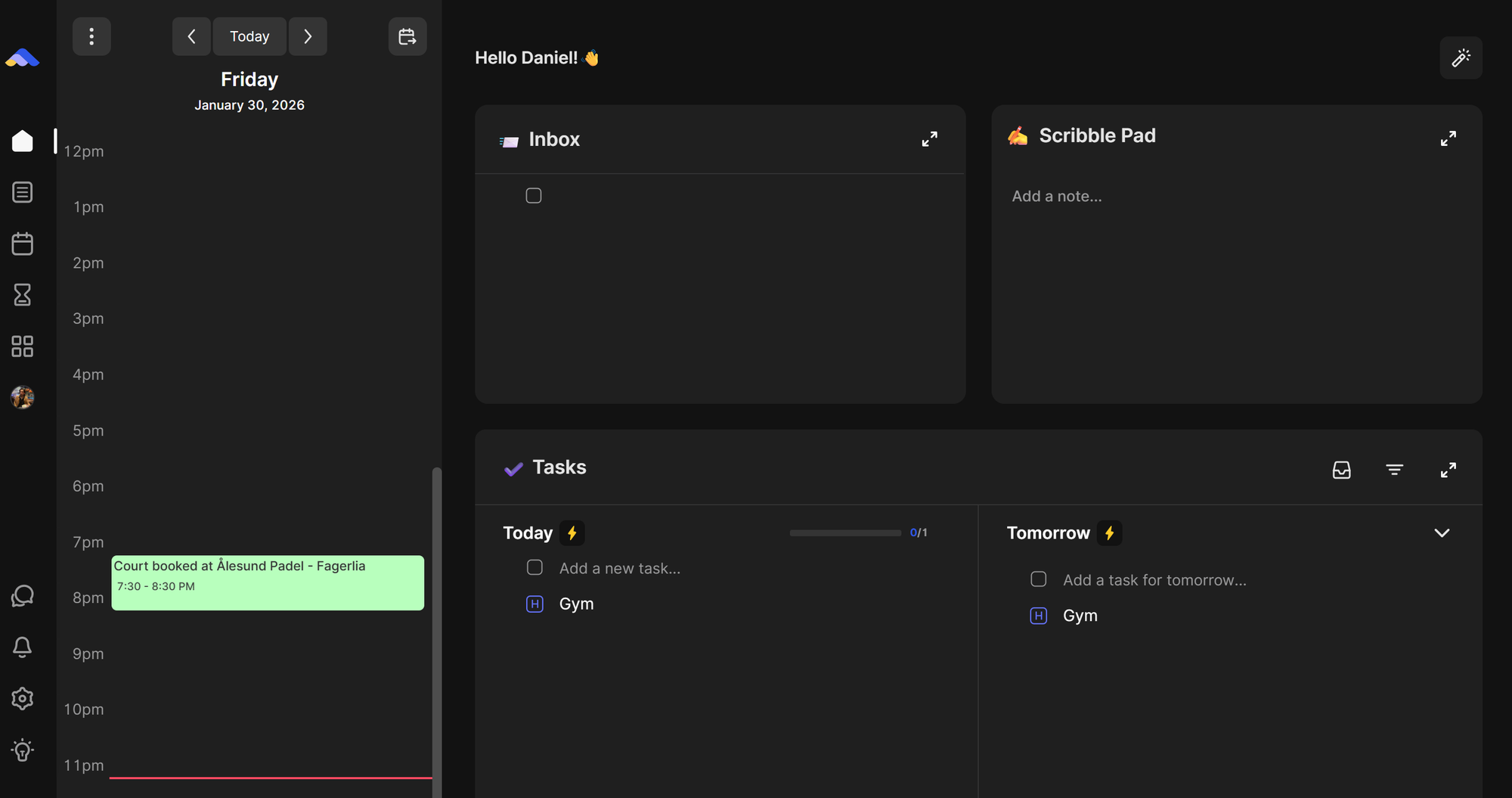
ByDesign centers around a calendar where you can plan your day. You can drag and drop tasks for time blocking, resizing them as needed. It also integrates pages, which function like Notion style documents. You can use a block-based editor to write longer notes, format sublists, and link to other pages. The pages even support linking between each other.
When you first open the app, you’re greeted by a customizable dashboard. Here, you’ll find everything from your inbox to your habits (yes, it has native habit tracking). There’s a scribble pad for jotting down quick ideas, a view of your daily tasks, and gamification elements like points, scores, and streaks—I’m a sucker for gamification. The dashboard also displays your calendar, and you can drag tasks directly from your dashboard into your schedule.
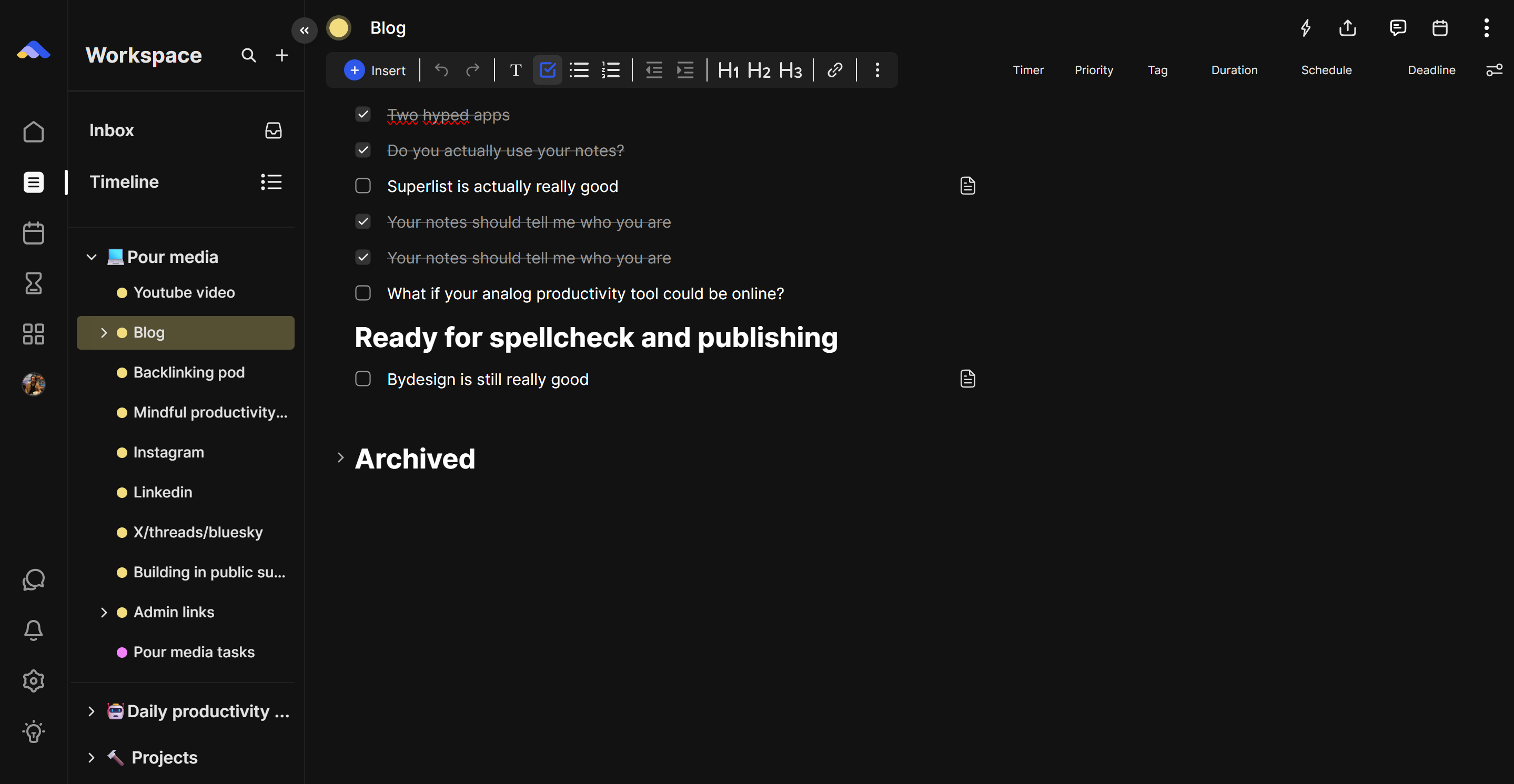
The real note-taking happens in what ByDesign calls “workspaces,” which are essentially pages. What I love is that if I add a task within my notes, it automatically appears in my task list. This makes workspaces perfect for meeting notes or project planning, as they integrate seamlessly with the rest of the task management system.
There’s also something called the Hub, where goals, habits, page templates, and even courses live. At first glance, it might seem odd to include courses or goals in a productivity app, but that’s what makes ByDesign unique. These elements are fully integrated into the app. For example, if you want to take a course on computer science, ByDesign will pull in all the relevant materials and let you schedule chapters and assignments directly in your calendar.
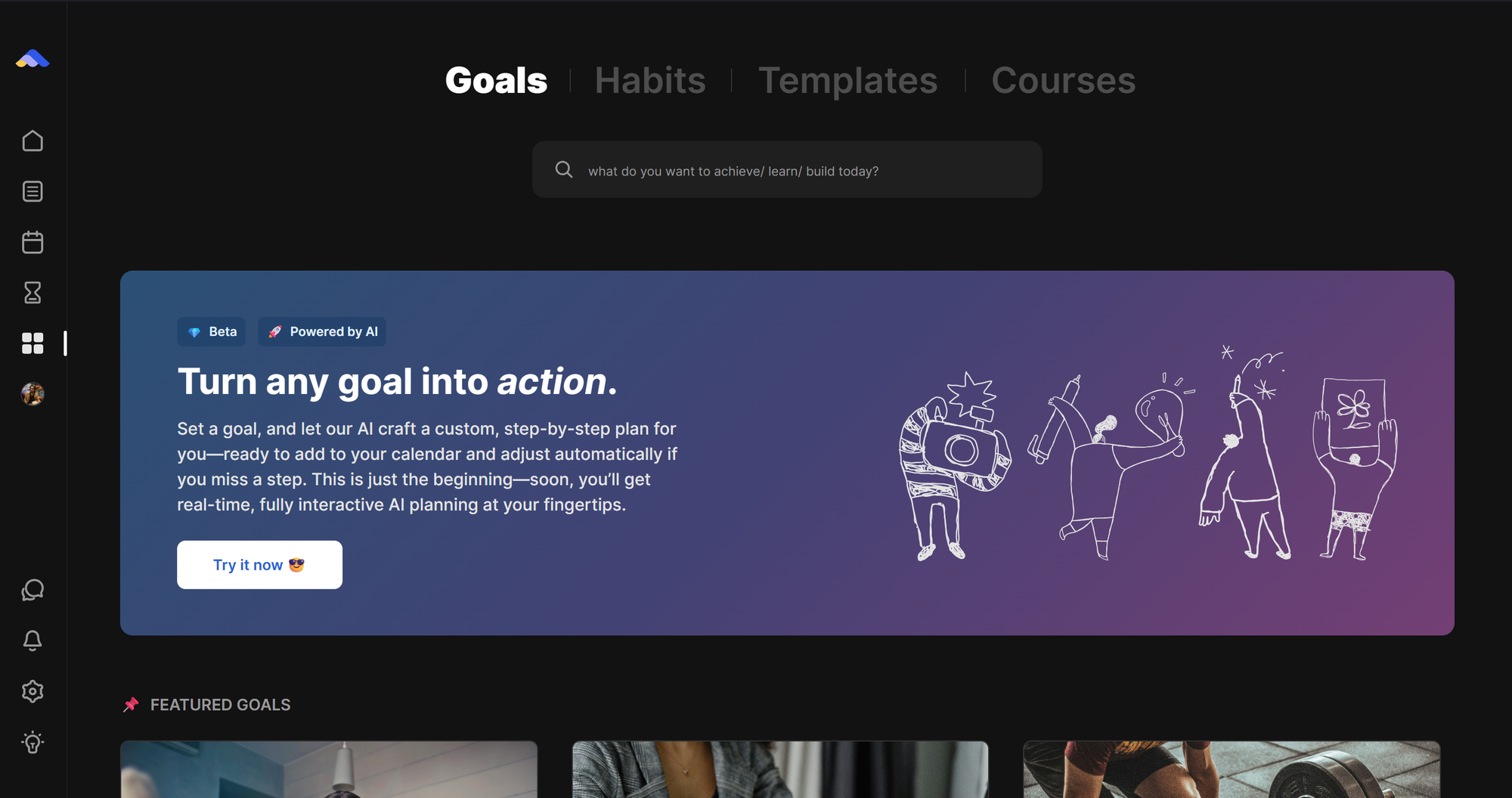
The same goes for goals. Whether it’s improving your sleep, redesigning your screen time, learning to code, or training for a marathon, ByDesign helps you plan and track progress.
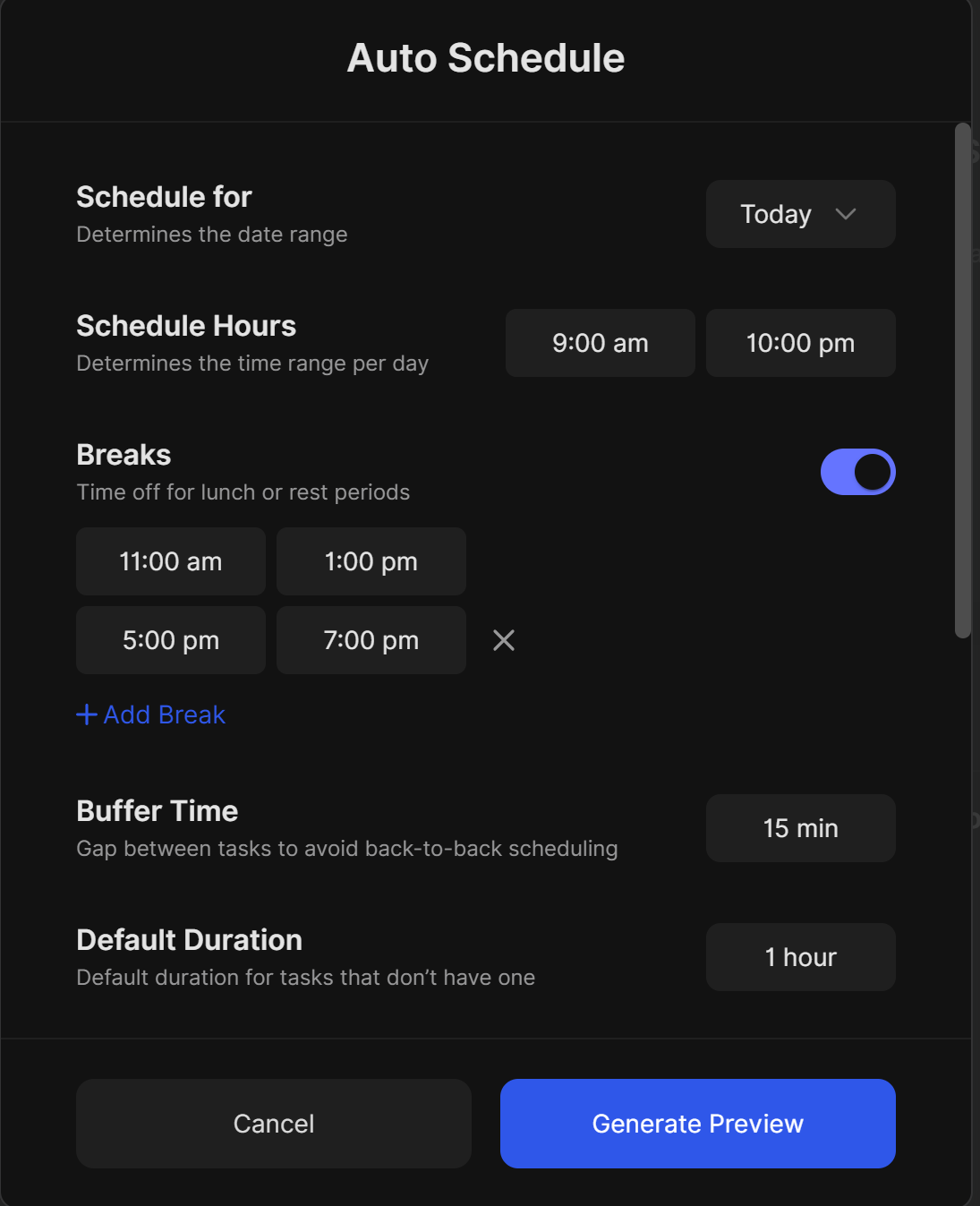
One of the newer features is auto-scheduling. With a click of a button on the dashboard, you can instruct the AI to schedule your courses, tasks, goals, and habits for today, this week, this month, or a custom timeframe. You can set your available hours, breaks, buffer time, and default task durations. The AI then plans your day based on your preferences. I’ve tested this feature a few times—it had some bugs at launch, but it’s improved since then. While it’s not perfect yet, I believe it’s one of the best implementations of AI auto-scheduling I’ve seen. That said, I suspect this kind of feature will become standard in productivity apps within a year or two.
Who Is This App For?
ByDesign feels different from other productivity tools. It’s not just for productivity nerds like me; it’s designed to be simple and user-friendly. It doesn’t have the steep learning curve of apps like Routine, Notion, or Akiflow. It’s more plug-and-play, with minimal setup required. I could easily see my sister, friends, or even my fiancé using it because of its simplicity and clean design.
Of course, it’s not without its flaws. Copying and pasting into Word or Google Docs still doesn’t work well, which is frustrating. There have been dark mode issues in the past, though I think those have been fixed. It’s a bit rough around the edges, but given the price, I still think the lifetime plan was worth it.
Pricing
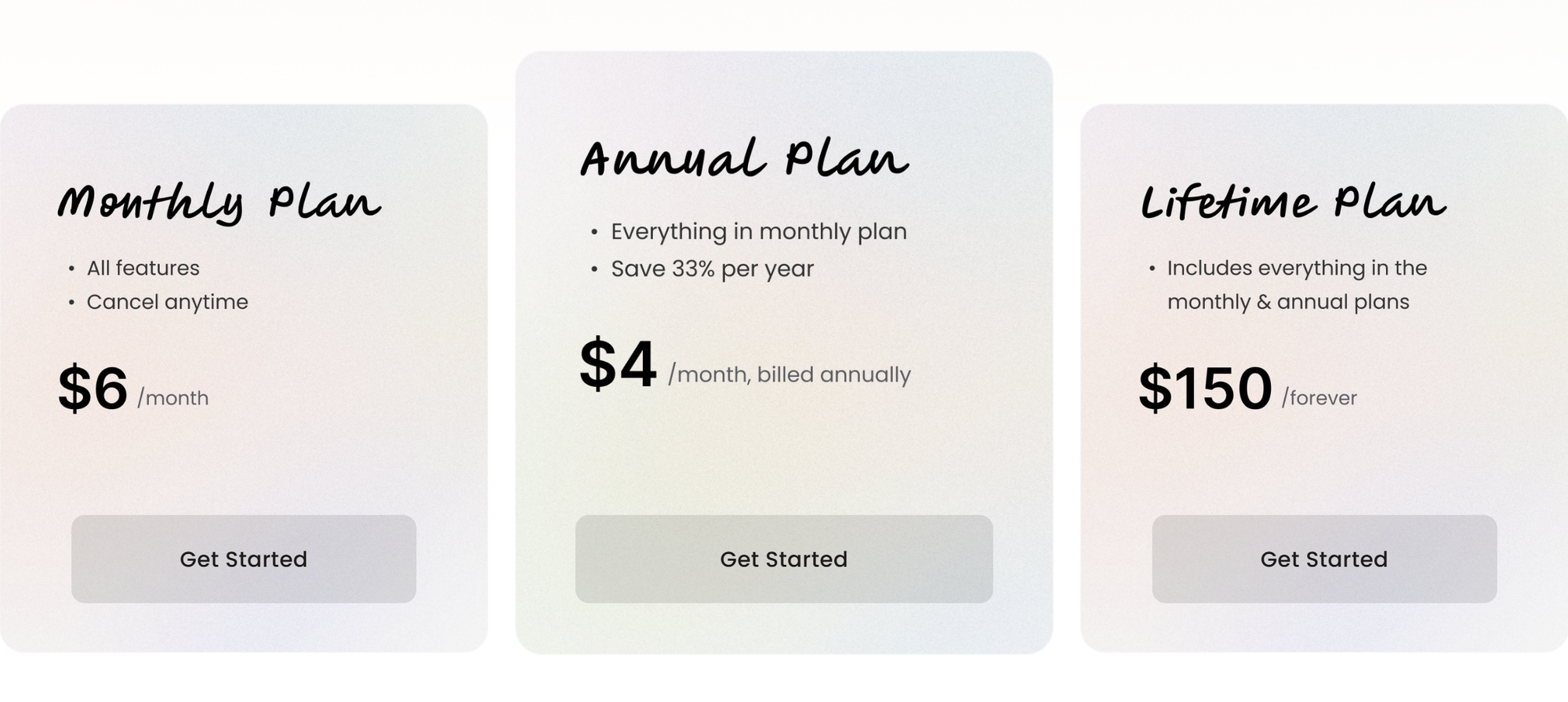
ByDesign doesn’t offer a free plan, but there’s a 7-day free trial. The monthly plan is $6, and the annual plan works out to $4 per month. Currently, there’s a lifetime plan available for $150, which grants you access forever. I’m generally cautious about lifetime deals, many apps offering them don’t last—but ByDesign’s pricing is reasonable for what you get.
You can support me by using the code: RXBM5 if you decide to sign up